
X-Trans V in Detail - Part 2: Color Chrome Effect, Color Chrome FX Blue and Grain Effect
The first post in this series profiled the twenty film simulations of the X-Trans V, the base palette from which everything else is built. This one turns to three settings that layer on top of that base, without ever replacing it: Color Chrome Effect, Color Chrome FX Blue and Grain Effect.
All three share the same nature: JPEG/HEIF settings that never affect the RAW file, applicable both at the time of shooting and during in-camera RAW conversion (camera or X RAW Studio). The first two act on color — one broadly, the other restricted to blues — while the third adds texture.
The Three Settings
Color Chrome Effect
Color Chrome Effect is a JPEG/HEIF setting — introduced with the X-T3 and X-T30 in 2018-2019, present since on the entire X-Trans IV and V lineup — that applies on top of any simulation. In high-contrast scenes, an individual RGB channel can saturate; with contrast and brightness already at their maximum, the area then looks flat. The setting detects these areas and amplifies subtle tonal differences within them, affecting mainly reds and, to a lesser extent, yellows, greens or oranges depending on the source. Fujifilm traces its origin to Fortia 50, a Japanese slide film sold between 2005 and 2007 and known for offering more contrast and color than Velvia: engineers at the time deepened the tones to preserve tonality in highly saturated areas, a principle revived here in digital form.
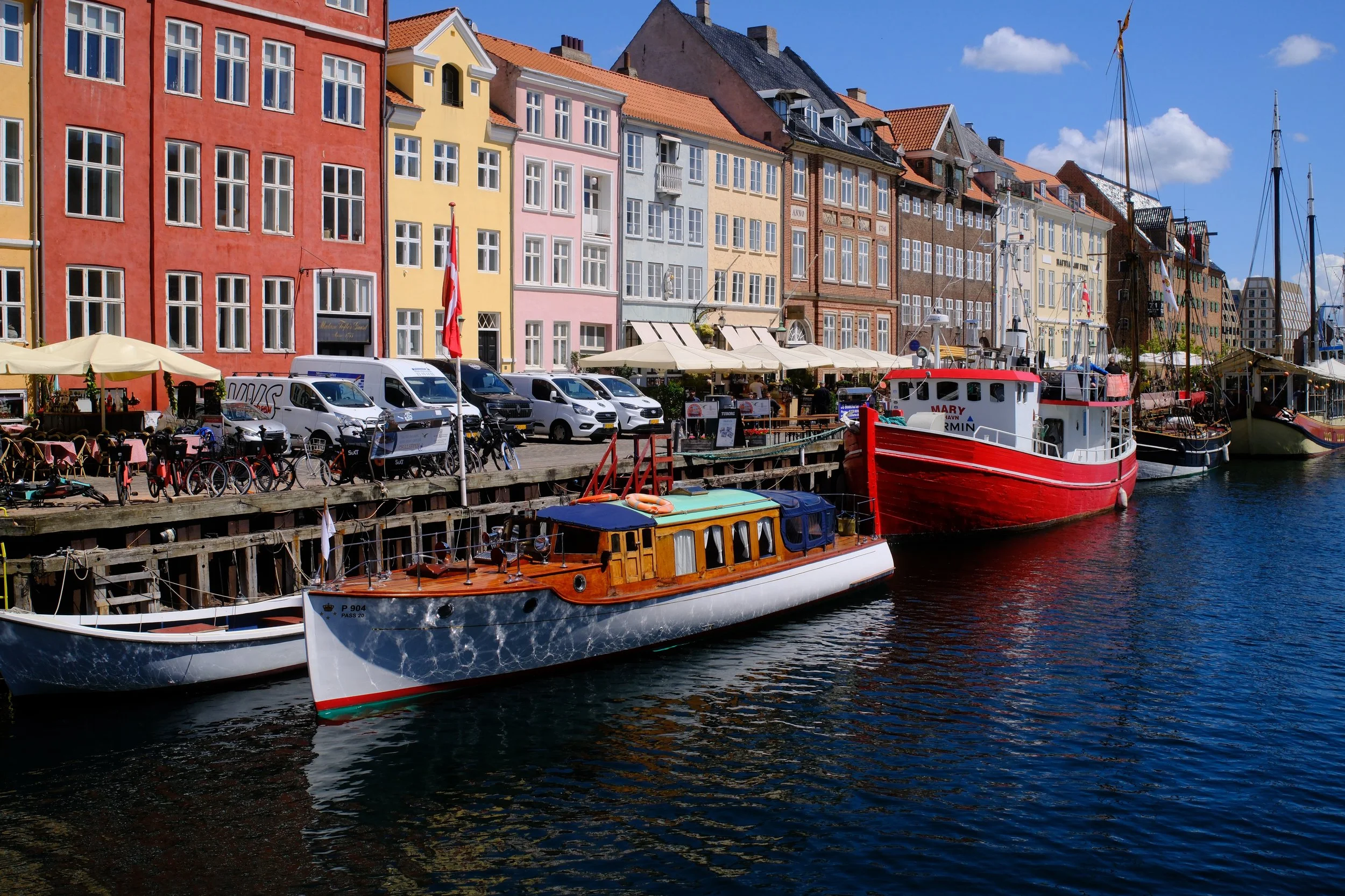
Off (Velvia base)
Several independent analysts agree on one point: the effect isn't limited to increasing saturation, it also progressively lowers the luminance of already highly saturated colors, which creates additional color contrast and restores a gradient that would otherwise have disappeared. Fujifilm stresses that this isn't the equivalent of a Velvia with Color pushed to +4. Three positions, Off, Weak and Strong, available at the time of shooting or during in-camera RAW conversion (camera or X RAW Studio), never touching the RAW file; near-zero effect on monochrome simulations (ACROS and Monochrome). Recommended use: flowers and highly colorful scenes, high-contrast landscapes in bright light, or saturated fashion and textiles in full light, particularly with Classic Chrome or Velvia. Worth watching in portraiture, where Strong can darken skin tones: several practitioners prefer Weak on skin, though this isn't an official Fujifilm caution.
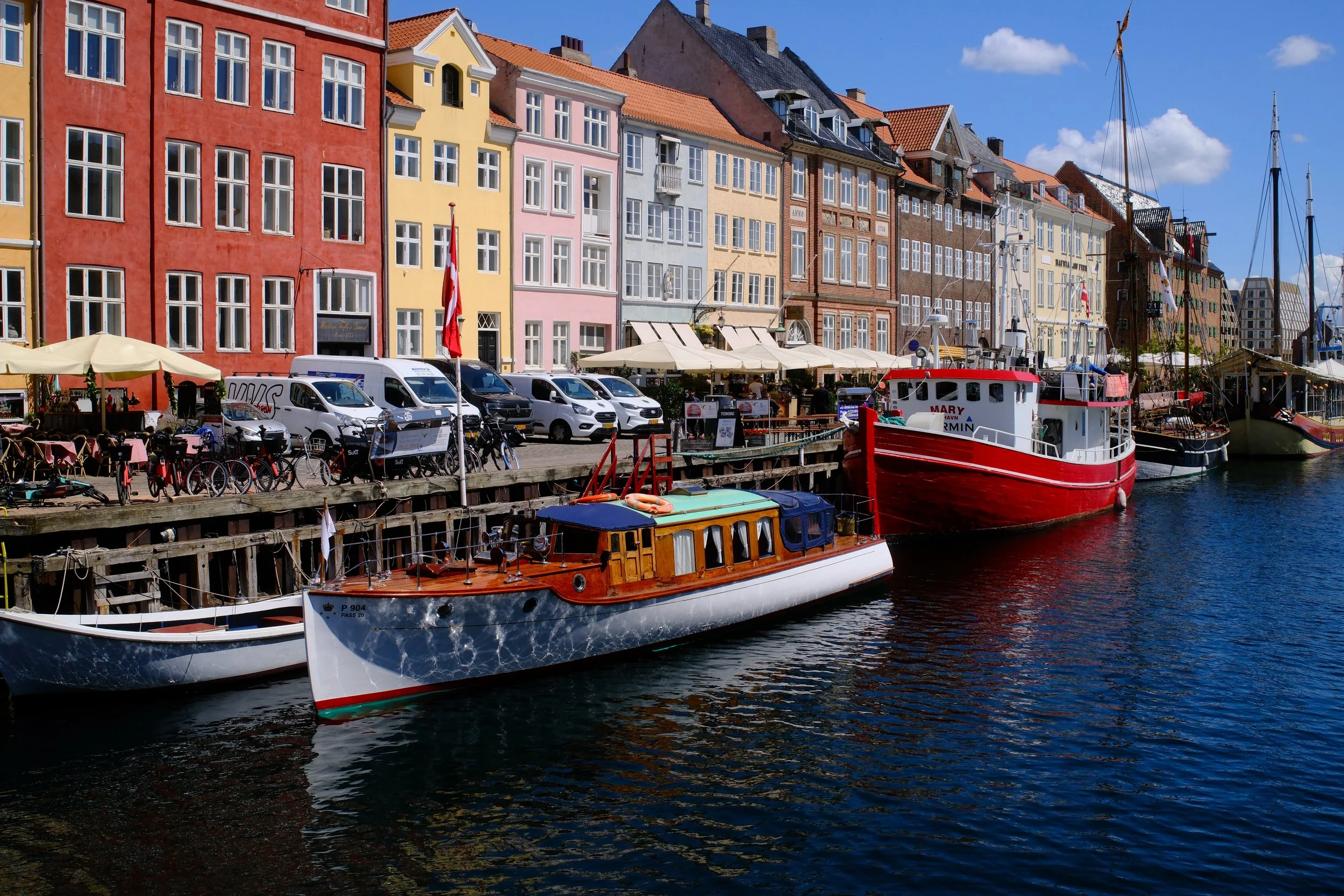
Strong (Velvia base)
Color Chrome FX Blue
Color Chrome FX Blue applies the same principle as Color Chrome Effect, but restricted to blues (sky, water, denim): it controllably darkens already-saturated blues to restore tonal gradients, in a rendering that Fujifilm and several reviewers compare to that of a polarizing filter.
More recent than Color Chrome Effect, it was introduced in June 2020 with the X100V, X-Pro3 and X-T4, without being made retroactive to all earlier X-Trans IV cameras. John Peltier (jmpeltier.com) confirmed that the original X-T30 (2019, predating FX Blue) never received it, even by firmware, unlike the X-T30 II, which includes it natively: availability depends on the specific model and its release date, not just the sensor generation. On X-Trans V, by contrast, every camera (X-T5, X-H2, X-H2S, X100vi, X-T50, X-M5 and X-E5) has had it natively since launch, with no documented exception.

Off (Classic Chrome base)
Three positions: Off, Weak and Strong, stackable and independent from Color Chrome Effect, with no effect on the RAW file. Little to no perceptible effect in black and white. The rendering depends on the base simulation: Velvia and Classic Chrome, whose blues are already rich, show a marked difference between Off and Strong, while Classic Neg. or Eterna Bleach Bypass, with less saturated blues to begin with, show a more subtle change. Recommended use: landscape and seaside scenes, for a rendering close to a polarizer without a physical filter, clear skies, or saturated blue textiles to bring out texture. Worth watching: blue objects where you want to preserve brightness rather than depth, where Weak often remains the safer choice.

Strong (Classic Chrome base)
Grain Effect
Located in IMAGE QUALITY SETTING, Grain Effect adds controlled random noise to simulate film grain. Like the two previous settings, it only affects the JPEG/HEIF: shooting RAW+JPEG produces a "grainy" file alongside a RAW file that stays clean.
On recent bodies, starting with the X-Pro3 and generalized across the late X-Trans IV generation and all of X-Trans V, two parameters can be adjusted independently: strength (Roughness, Off/Weak/Strong) and size (Size, Small/Large). On older bodies (X-T3 and earlier), only strength is adjustable. Small grain: fine and tight. Large grain: coarser and grainier.
Visually subtle: Ritchie Roesch (Fuji X Weekly), working from tight-crop comparisons, notes that the gap between Off and Weak is hard to spot without close inspection, with Strong standing out more clearly without ever becoming obvious on screen or on the web. The effect becomes more visible when cropping, zooming or making large prints. Unlike a flat grain filter applied in post-production, the simulated grain is calibrated to the simulation in use and adjusts with ISO: at high ISO, light grain can blend into the digital noise and help mask it. In the internal JPEG pipeline, grain is applied before sharpness, which allows combining reduced sharpness (-1/-2) with Weak/Small grain for a soft, organic texture.

Off (Provia base)
ACROS already has its own simulated grain, which intensifies with ISO: stacking Grain Effect on top of it can quickly become excessive, with the Strong/Small combination being the most problematic, closer to digital noise than to film grain. Weak/Small is recommended as a cautious starting point on this simulation. Recommended use: an intentionally film-like aesthetic, partially concealing noise at high ISO, or texture and presence in portrait and street work depending on stylistic preference, with no consensus for or against. Worth noting: grain size is fixed at the time of shooting; significant cropping in post-production also enlarges the grain already present, which is why Weak/Small is a good starting point on a high-resolution sensor intended for cropping.

Weak / Small (Provia base)
Going Further
Unlike film simulations, these three settings can't be compared in isolation, "in their pure state": their effect depends precisely on the simulation they're applied to, and on the scene being photographed. The best way to understand them remains testing them directly on your own recipes, one setting at a time.
Color Chrome Effect, Color Chrome FX Blue and Grain Effect never replace the base laid down by the simulation; they refine it, each in its own way. The first restores gradation in saturated areas, the second does the same for blues, the third adds texture. The third post in this series will continue with white balance, highlights and shadows, and dynamic range.
— Louis-Martin Ouellet
This blog's ten recipes — the seven CW and the three NS — all live in the Recipe Cellar, a space where they simply wait to be discovered.